The schedule
The Bring & Buy stall will be back by popular
demand. We had hoped to hold it in the Gladstone room,
as we did last year but apparently that room is full
of hotel junk - spare tables, pool tables, etc. - so
we may instead use the Chamberlain Suite, which I
think is on the top floor.
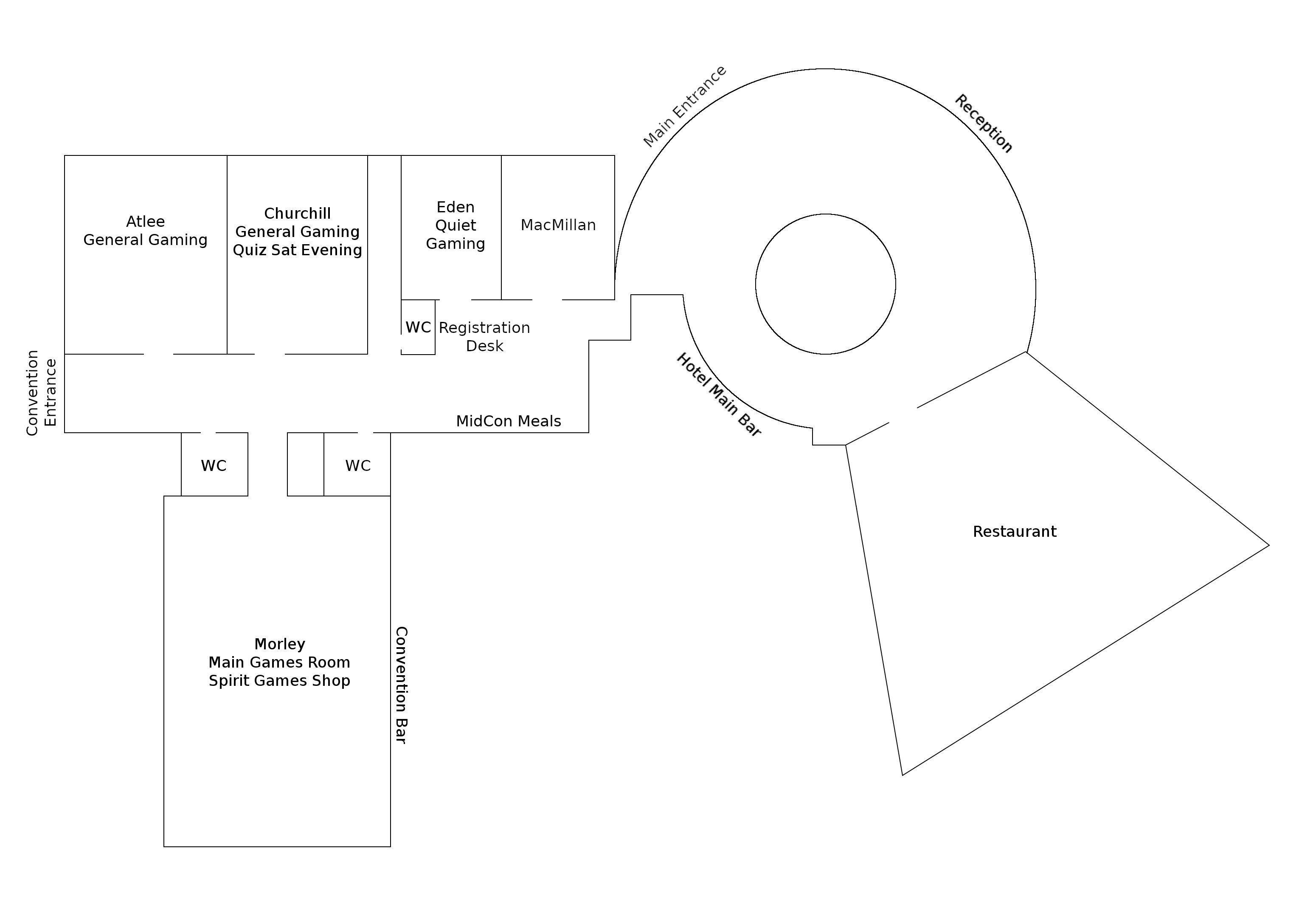
Massive version of the above
hotel map
Register your games for sale before you arrive
You can list the games you want to sell via our
online
browser-based app.
We hope the instructions on the web page are
self-explanatory but here's a few more tips.
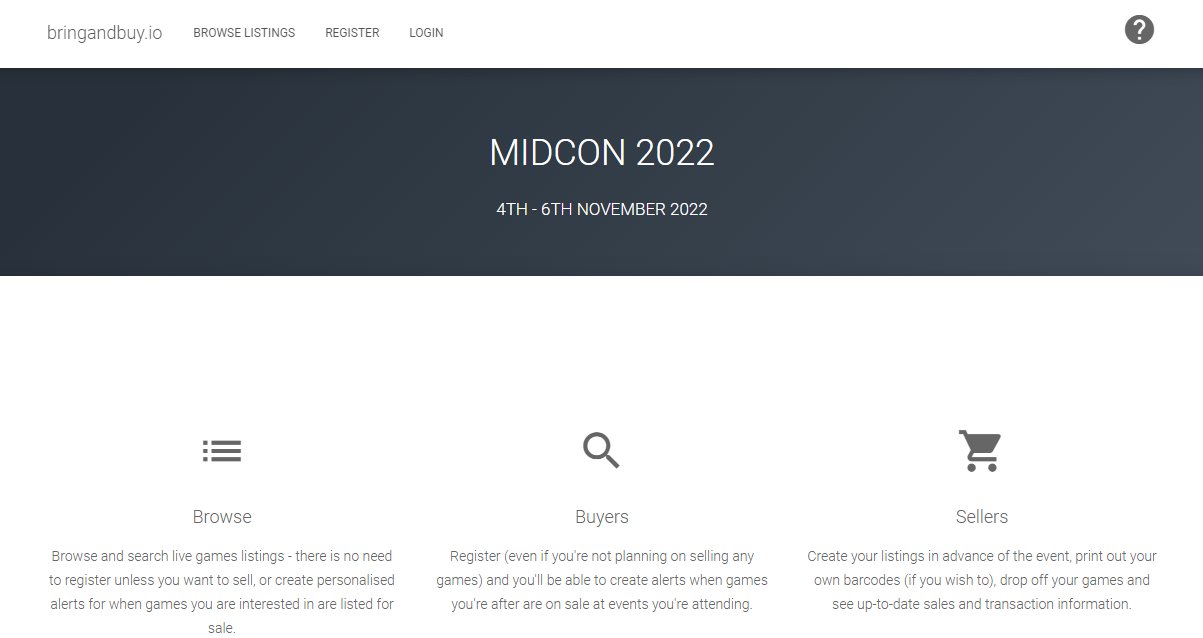
Browse: Even if you are not
planning to sell any games, you can use the browse
option to see what games have been listed and at
what price. Please note, these prices may change or
for that matter, games listed for sale might
completely disappear from the listings, as sellers
have the ability to edit their listings right up to
the point where they bring the games along to the
Bring & Buy.
Buyers: I wouldn't worry too
much about this option at the moment. MidCon
committee member Giles, who wrote the app,
is looking to set this up as a service for cons
across the gaming hobby and from a cursory glance it
looks like he is planning clever things such as
watchlists and alerts.
Sellers: If you want to sell
games in the Bring & Buy, you will need to
register; for this, you will need to
provide a name, an email address and a password.
Once you have registered, you will be able to list
one or more games by using the Add A Listing
button.
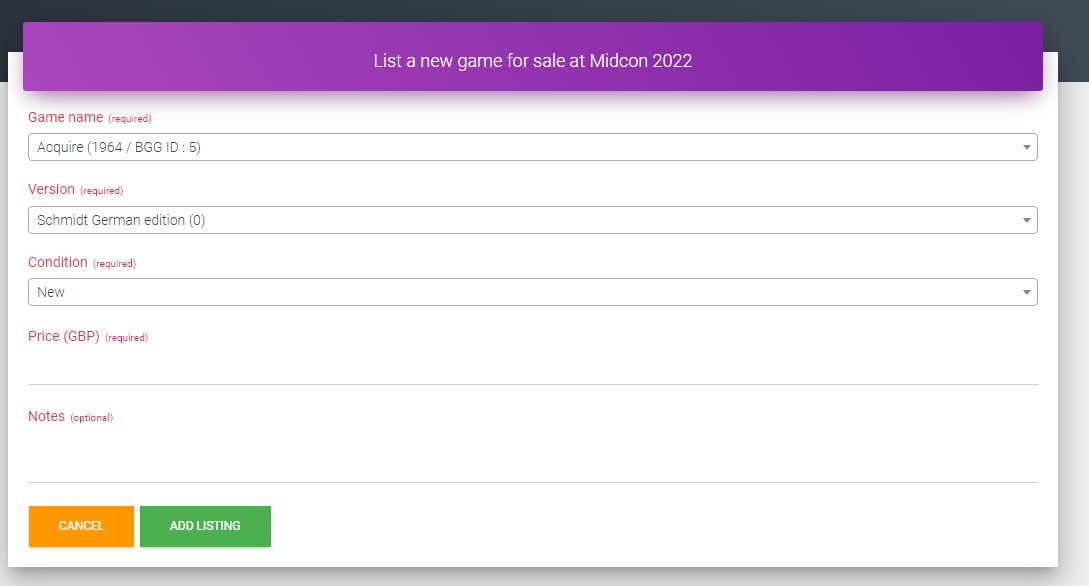
When you click on the add listing, you will
be taken to a new screen that will ask for details
of the game you want to sell, namely: the name of
the game (as per Boardgamegeek.com); the version
(ditto); condition (check definitions by browsing
the listings and apply accordingly); price (in whole
pounds); notes (optional). Note, the first three
fields are drop-down menu-driven while the fourth
and fifth fields are free form.
Once you have completed all of the required
fields, hit the "Add listing" button. If you've
messed up, just hit cancel.
When you have added all of your listings you can
use the Seller Control Panel to browse the listings,
edit them or even delete them if you wish.
If you do not register the games you have for
sale before you arrive at the con the Bring & Buy
team will have a laptop or two available you can use
to register your games, without holding up everybody
else in the queue.
The online app mentions the ability to print out
your own barcodes - we'll have a barcode scanner to
make processing purchases swifter - before you
arrive at the con but I have not worked out yet how
to do this; I'll have a word with "the King of
Spain", i.e. Gilo.
Bringing your games along to the Bring & Buy
There will be two selling sessions on Saturday
(see schedule below) and
before each, sellers will be able to bring their
games along to the Bring & Buy room (probably
the upper floor of the main bar, but check with the
con's Registration desk), make themselves known to the Bring & Buy
blokes and if they have not already printed off
their own stickers with bar codes, they will be
provided with several stickers - one per game they
are selling. The tricky bit then is for the seller
to attach the right sticker to the right game ...
Once you have applied the stickers, simply place
the games on one of the display tables and (how can
we put this politely?) naff off out of the room,
promptly, no matter how tempting it is to have a
gander at the games on sale (most of which will be
listed online anyway).
Before the second selling session, there will be
a period where sellers may adjust the prices of the
games that have not been sold. This is where the new
technology falls down a bit because unless Gilo has
changed the procedure, this entails the seller
amending the prices on the online app,
then finding the game(s) where the price(s)
has/have been changed, crossing out the old price
and writing in the new price on the label. It's
traditional for the new price to be less than the
old one ...
It will also be possible in this session to add
new games to the Bring & Buy (maybe you arrived at
the con too late for the first session).
Let the buying commence
Once we are good and ready, we'll open the doors
and let the buyers in. If you see a game you like,
grab it and take it to the table where purchases are
being processed. If you have octopus-like abilities,
you might want to grab a handful of games before
making your way over to the desk.
You can pay by debit or credit card, although
we'd prefer cash (if only because we'll be paying
the sellers in cash). Sadly, although you can use
the online app to see how many of your games have
been sold and how much you are set to receive from
those sales, you will not be able to offset the
amount you pay out (on purchases) with money you are
due (on sales). We had an enthusiastic helper try to
do this offsetting on the fly one year and when we
balanced the books we were £90 or so short, so we'd
rather not attempt it.
| 10.00 -
10.44 |
Sellers bring their
games to the sale room |
| 10.45 -
11.15 |
Buyers are admitted (assuming
we have logged all the games for sale) |
| 11.16 -
11.30 |
Sellers can collect unsold
games and proceeds from sales if they are
not going to be around for the second
session |
| 16.45 -
16.59 |
Sellers bring their
games to the sale room or adjust the prices
of games that did not sell in the first
fashion |
| 17.00 -
17.30 |
Buyers are admitted |
| 17.40 -
17.55 |
Sellers collect unsold games
and proceeds from sales. |
Any questions, shout here,
email
hello@hummingbirduk.com or check out the
Facebook group.


Please note, we will be deducting 5% (rounded up
or down depending on whim) from each game sale to
cover the cost of the hire of the room.
|


